Required security profile permissions: Users Edit
Once you have uploaded the security certificate that you will use to send an authentication assertion to the NICE inContact platform, you need to configure each user that you want to use Federated Identity Management to have a Federated Identity value that is used to identify the user from the authentication assertion.
If a user is configured with a Federated Identity value, they will no longer be allowed to log in directly at https://login.incontact.com. They will only be able to log in through your IDP initiated authentication request.
-
Click Admin → Users → Users.
- Create a new user or select the existing user you want to configure for Federated Identity Management.
-
In the Details tab, click Edit.
-
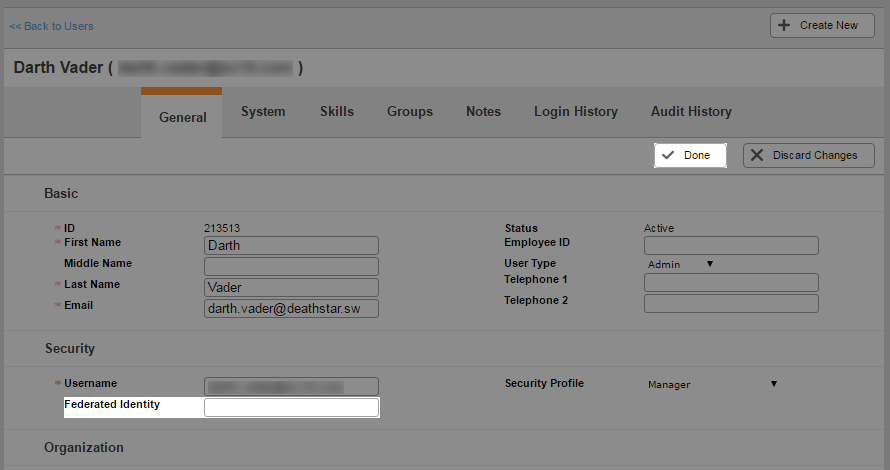
In the Federated Identity field, enter the unique value to be passed in as part of the authentication assertion. This value needs to be tied to the user requesting access to NICE inContact in your IDP system. When finished, click Done.
When your IDP makes an Authentication Assertion to the NICE inContact platform, it must contain an LDAP claim with the same Federated Identity value configured for the user. The claim values are:
- Name ID (required) — Matches the user's configured Federated Identity in the platform.
- SecurityProfileID (optional) — Matches a valid security profile in your business unit. This security profile is mapped to your NICE inContact user and is used going forward. If no claim is present, the current security profile mapped to this user in the platform is used.


