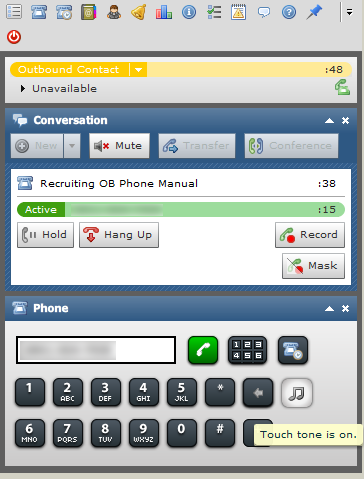
The touch tone feature allows you to send touch-tone signals that are recognized by IVRInteractive Voice Response; an automated phone menu that allows callers to interact through voice commands, key inputs, or both, to obtain information, route an inbound voice call, or both. phone menus. The touch tone icon is only available during an active call but not during a conference call.
-
Click the musical note icon.
-
Using your mouse or the keyboard number pad, enter the touch-tone signal numbers.
-
Click the musical note icon again to turn off the touch tones.


