The Disposition report shows why customers were excluded from receiving a survey, or why they did not complete a survey. The exclusion criteria are established by each customer.
-
From the Home page, go to the Administration browse → Admin - Disposition Report.
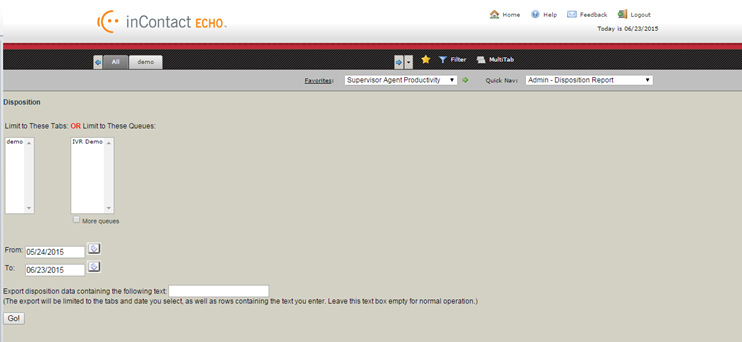
The following page opens:
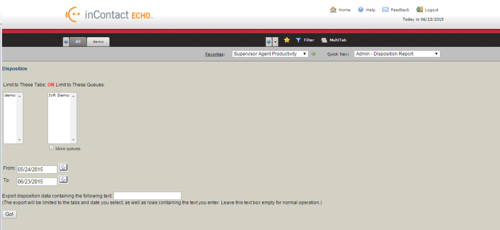
- Select the tabs or queues to which you would like the search to be limited.
- Using the From and To fields, select the date ranges for this report.
- Optionally, you can use the Export disposition data containing the following text to narrow your search even further. The export will be limited to the tabs and date you select, as well as rows containing the text you enter. Leave this field empty for normal operation.
-
Click Go!
The report is generated according to your selections:
On the left of the report, the criterion is listed. For an email survey, there may be exclusion rules put in place such as not surveying the same email address twice in 30 days. The Disposition report for a phone survey will show the reasons for a survey not being completed. For example, if the customer gave an incomplete phone number or an answering machine was reached instead of a live customer. The bars in the report show the number of surveys not sent or not completed for each criteria.
-
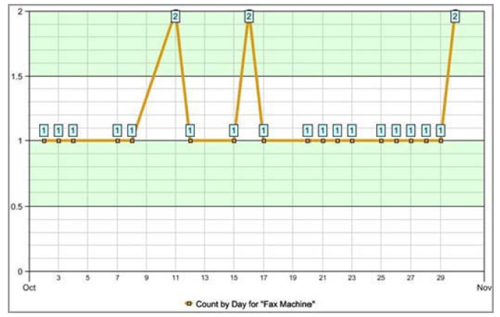
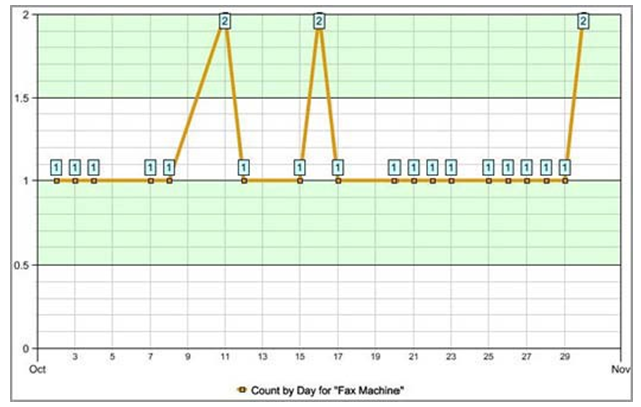
Click a bar to display a detailed line chart showing a daily breakdown of the number of surveys not sent due to that criterion:
This information may be exported to Microsoft Excel by clicking the Excel icon next to the report.


