Required security profile permissions: External Business Unit View
From the Usage tab, you can modify the station, user, and concurrent agent limits and manage your port allocation.
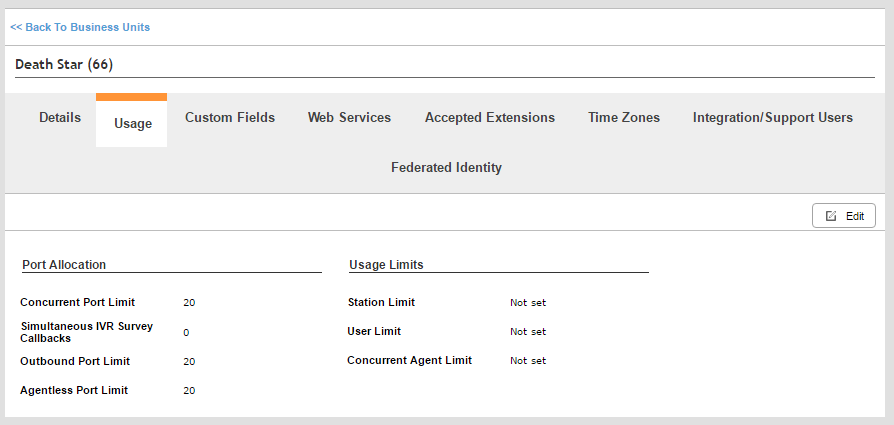
Port Allocation
- Concurrent Port Limit
- Only editable by your NICE inContact account manager. Specifies the maximum number of portsWhere information transfers, over a network, between a computer and a server. the business unitFile format associated with Microsoft Excel; may also be expressed as .xlsx can use simultaneously.
- Simultaneous IVR Survey Callbacks
- Only editable by your NICE inContact account manager. Specifies the maximum number of IVRInteractive Voice Response; an automated phone menu that allows callers to interact through voice commands, key inputs, or both, to obtain information, route an inbound voice call, or both. survey callbacksHolds a customer's place in queue and automatically calls the customer when they move to the front of the queue. that can occur at the same time.
- Outbound Port Limit
- Specifies the maximum number of ports the business unit can use for Personal Connection (PC) at the same time. Each attempted call requires a port, so if you have PC set up to attempt three calls per agent simultaneously and you plan to have five agents logged in, the Outbound Port Limit must be at least 15.
- Agentless Port Limit
- Specifies the maximum number of ports the business unit can use for agentlessContacts made without a live agent for tasks such as one-way delivery of information or messages.. outbound dialing.
Usage Limits
- Station Limit
- Only editable by your NICE inContact account manager. Specifies the maximum number of stations that can be configured in this business unitFile format associated with Microsoft Excel; may also be expressed as .xlsx.
- User Limit
- Only editable by your NICE inContact account manager. Specifies the maximum number of users that can be configured in this business unit.
- Concurrent Agent Limit
- Only editable by your NICE inContact account manager. Specifies the maximum number of agents that can be logged in to the business unit at the same time.


