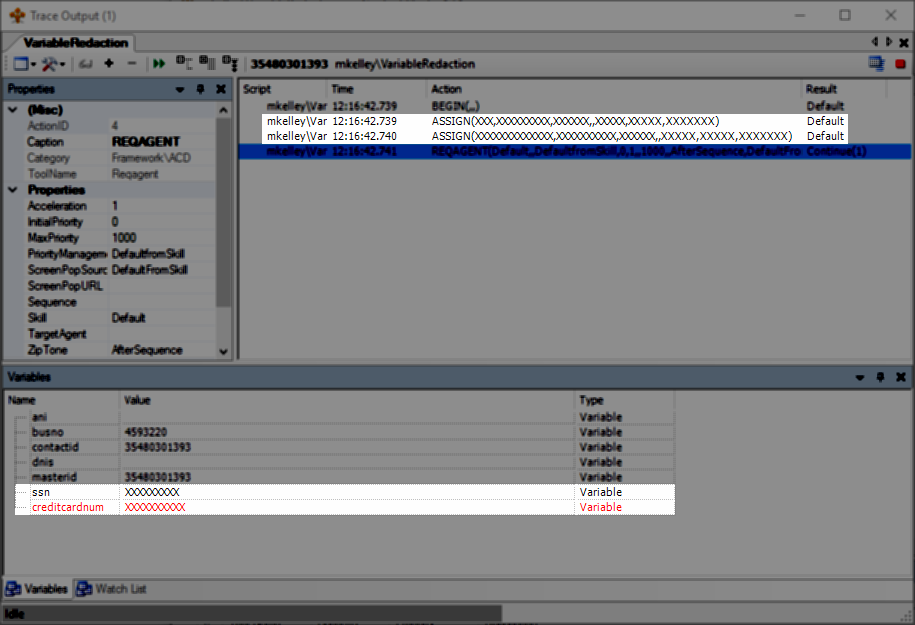
Variable redaction eliminates variable values from traces and logs generated by a script. Redaction is configured at the script level. Every script's properties has a Redaction section with a VariableRedaction property. All variables defined in that property have their values redacted in all logs and traces throughout the entire script.
The variable names entered in VariableRedaction should correspond to variables created in ASSIGN actions.
The redacted values are replaced with a string of "X" characters. The length of the variable value determines how many X's are used. A redacted five-letter word results in five X's. A redacted nine-character value results in nine X's.
Partial variable redaction, such as the first three sets of numbers in a credit card number, is not supported.
Variable redaction occurs at the script level. The redaction of listed variables is not an inheritable property. If a redacted variable is passed to other scripts, such as via the RunScript, RunSub, or Spawn actions, that variable is not automatically redacted in the subsequent scripts.
Take care to ensure redacted variables are redacted in all scripts the variable might be passed to, or limit the scope of the redacted variable to the single script instance.
Redact a Variable
-
In Studio, open the script's properties (Ctrl+F4).
-
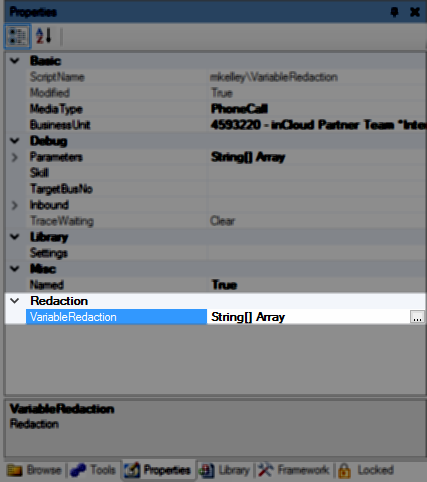
In the Redaction section, click the VariableRedaction property, and then click the ellipsis box.
-
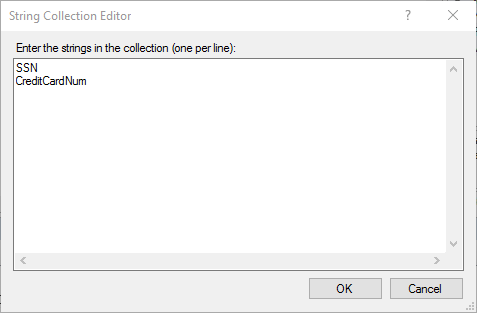
Add the names of the variables you want redacted on separate lines. When finished, click OK.
Values for the variables in the list are redacted in all traces and logs generated by the current script.