Required security profile permissions: Agent Patterns Create
When you click Create New in the agent patterns table or open an existing agent pattern, a form opens above the table allowing you to set up a new agent pattern or make modifications to an existing one. This topic provides information about the fields in the form.
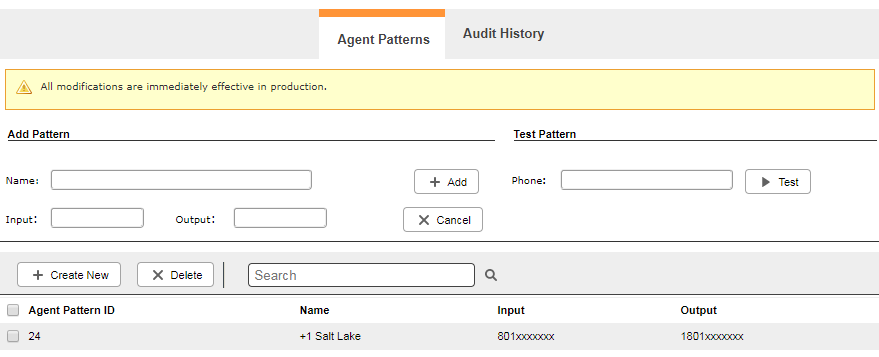
Add Pattern
- Name
- The unique, descriptive name of the agent pattern.
- Input
- The numbers in the pattern that the agent must dial to create a match. Variables are indicated with an X. For example, to match a US area code, the Input would contain the area code and seven X's such as 801XXXXXXX.
- Output
- The numbers that replace the numbers matched in the input. For instance, if you wanted to precede an 801-area-code phone number with a 1, the Output would be 1801XXXXXXX.
Test Pattern
- Phone
- Type a phone number in this field to test the new agent pattern. In the example demonstrated in the Input and Output descriptions, you would type a phone number with an 801 area code to make sure a 1 is prepended before dialing.


